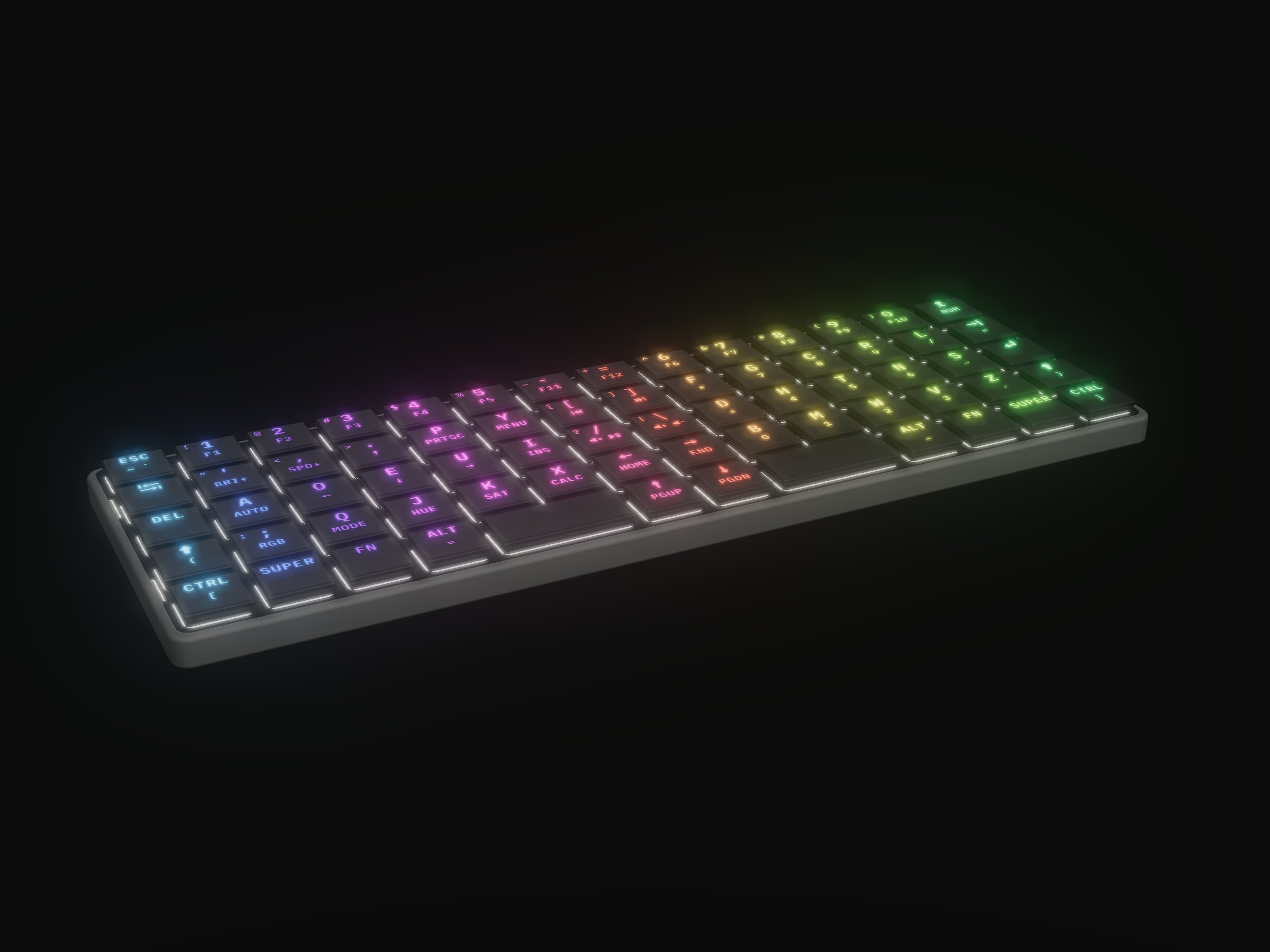
 CAD render
Pre-order · Ships January 31
KeBe Lite
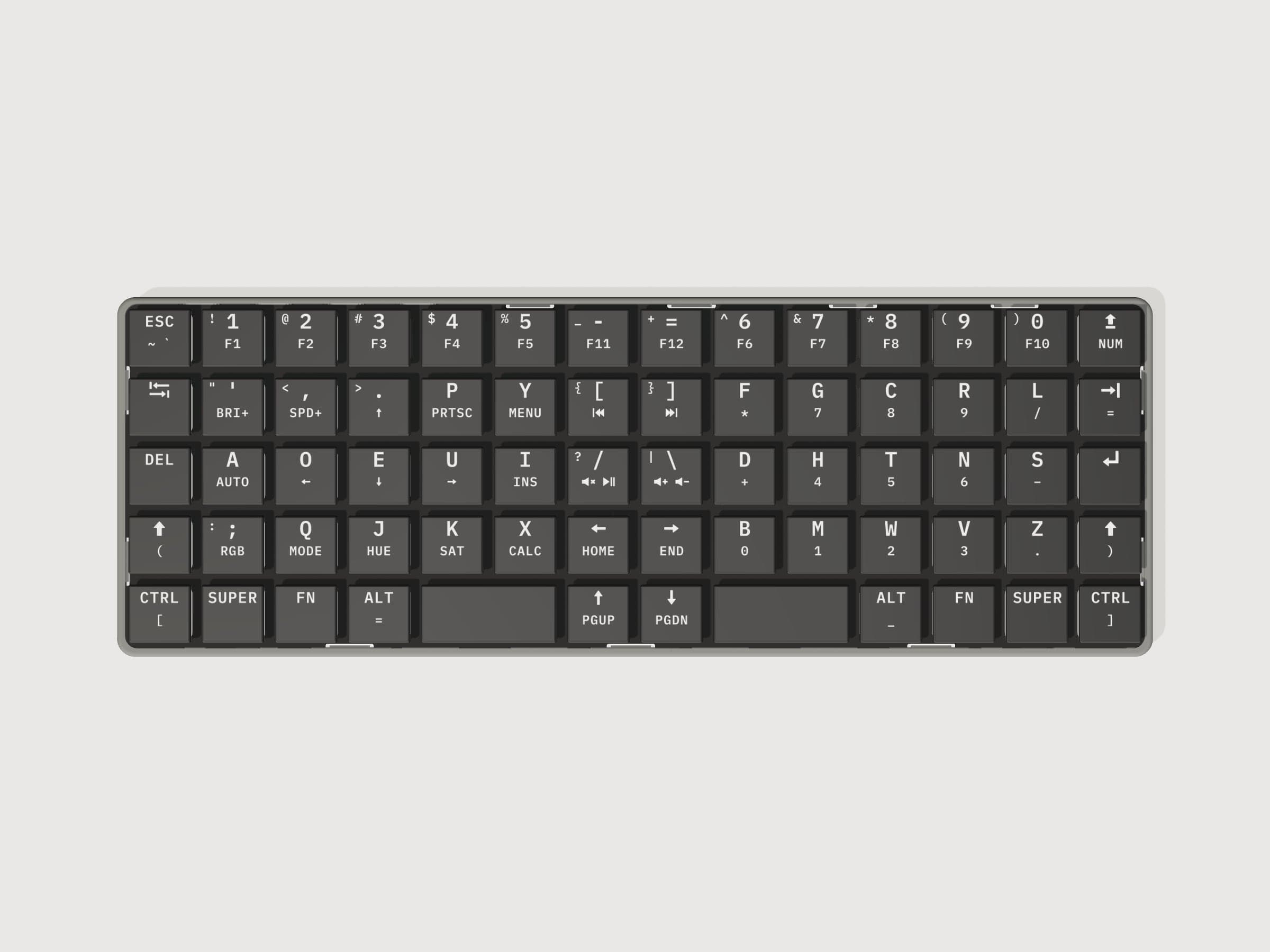
68 keys in straight columns, with August Dvorak's letter order.
Pre-order price, plus shipping.
Pre-order: plus shipping, calculated at checkout, and charged in full there; you can cancel for a full refund until it ships. Ships January 31, to Canada and the US. Pre-order terms
FCC notice for US orders. KeBe Lite is subject to the rules of the US Federal Communications Commission (FCC), and its FCC equipment authorization is not yet complete. Delivery to you is conditional on KeBe Lite successfully completing that authorization: no board ships to a US address before it does. The FCC's rules do not address the applicability of consumer protection, contractual, or other provisions under federal or state law. If the authorization is not completed, we cancel your order and refund it in full. You can cancel any time before your board ships for a full refund within 5 business days (see our pre-order terms).
Before you pre-order
Will I have to relearn typing?
Yes. Nothing sits where a standard keyboard puts it, so you learn KeBe as a new instrument instead of unpicking old habits one key at a time. Switching takes practice, and the first weeks are slower. The free typing trainer on this site teaches the layout one letter at a time, so you can start before your board arrives.
Does it work with my computer?
It is a USB keyboard: plug it in by USB-C and it types, with nothing to install.
How do I pay, and can I cancel?
By card, in full at checkout, through Stripe. The card number goes to Stripe, not to us. You check out as a guest, with no account needed.
Cancel any time before your board ships for a full refund within 5 business days. If we can't ship by the date shown, we email you before it with a new date, and you can cancel for a full refund.
Why the keys are where they are
Dvorak's letters, in straight columns
KeBe's keys sit in straight columns on an 18 by 17 mm grid, so each finger moves straight up and down its own.
The home row does the work
The row your fingers rest on reads A O E U I under the left hand and D H T N S under the right. Add up how often each letter turns up in English and about 71% of the letters you type land on that row. On QWERTY's A S D F G H J K L it is about 34%, so two letters in three are a reach.
Symbols in the middle
The - = [ ] / \ keys a standard board leaves to your right pinky sit in the two middle columns, where your pointer fingers take them: far stronger fingers than your pinkies.
Typos fixed in the keyboard
The firmware carries a dictionary of common misspellings and corrects a word the moment you finish it, by itself, on any computer you plug into: accomodate becomes accommodate before you look up. Fn + A switches the whole thing off.
Also: 68 keys, ortholinear, Matrix-Dvorak · 4 × USB-C: 1 to the computer, 3 as a USB 2.0 hub · Per-key RGB, 68 SK6812MINI-E LEDs. Full specifications
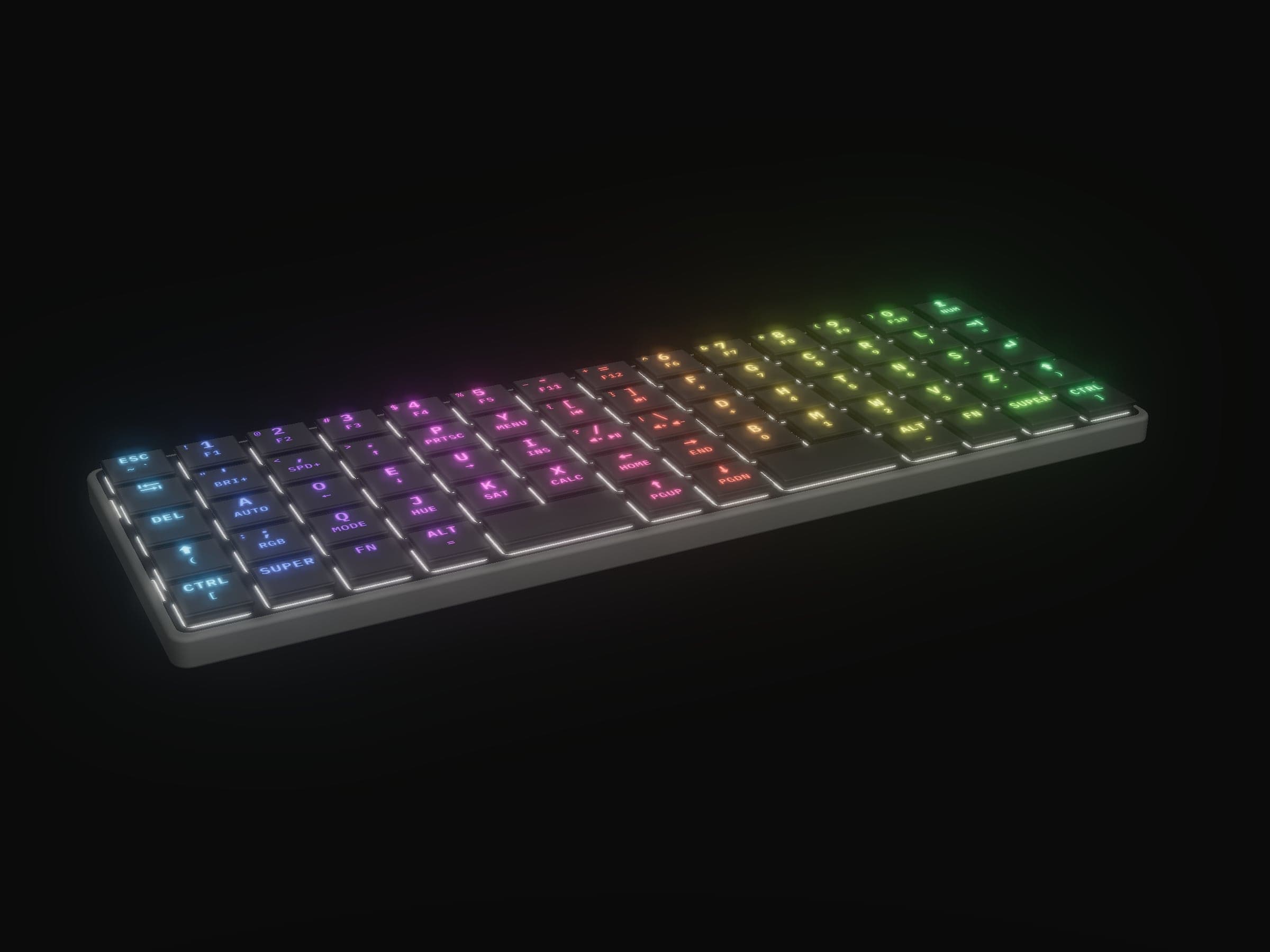
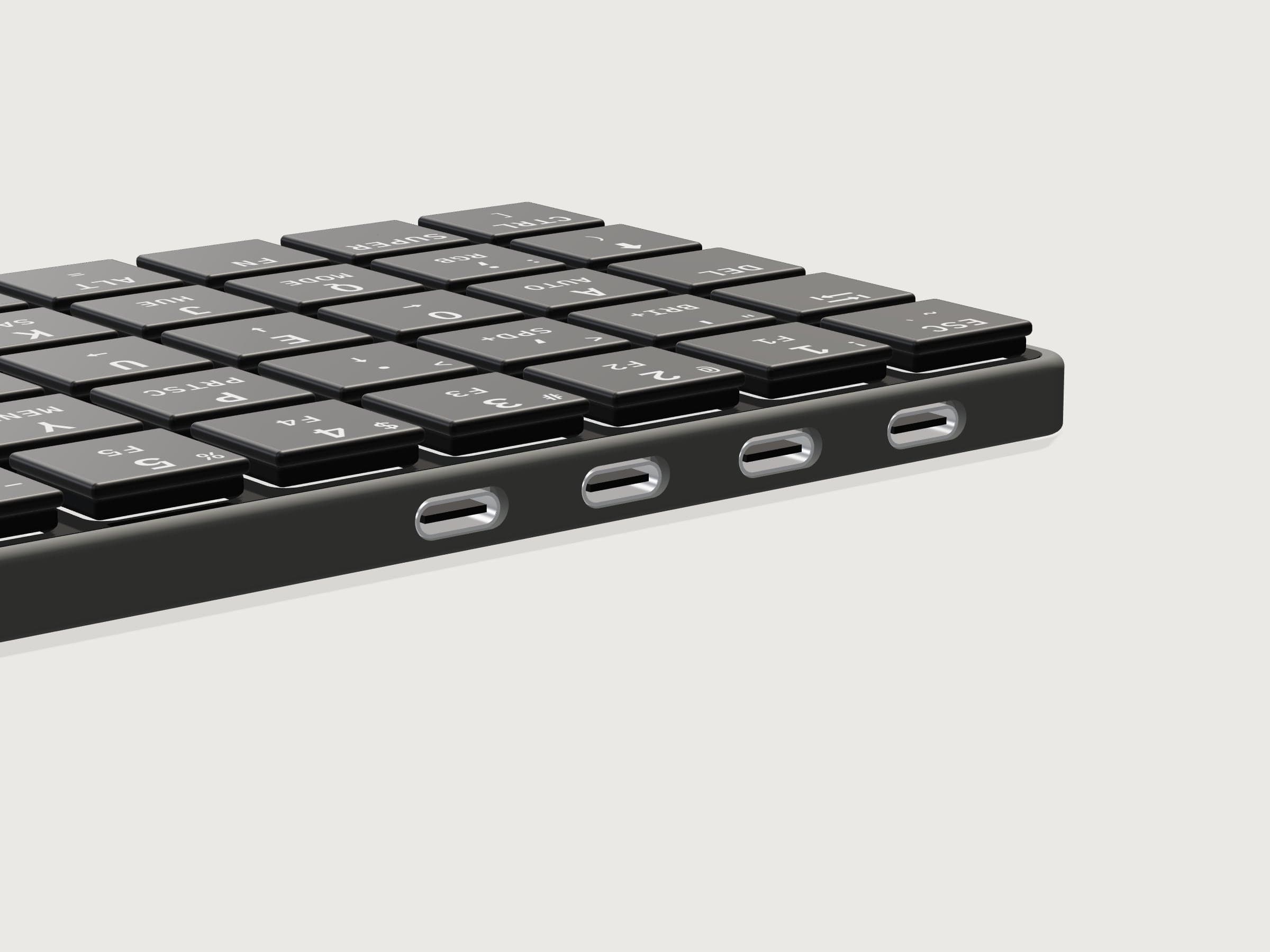
None of the KeBe Lite pictures here are photographs: they and the 3D model are renders of the Lite's design files.
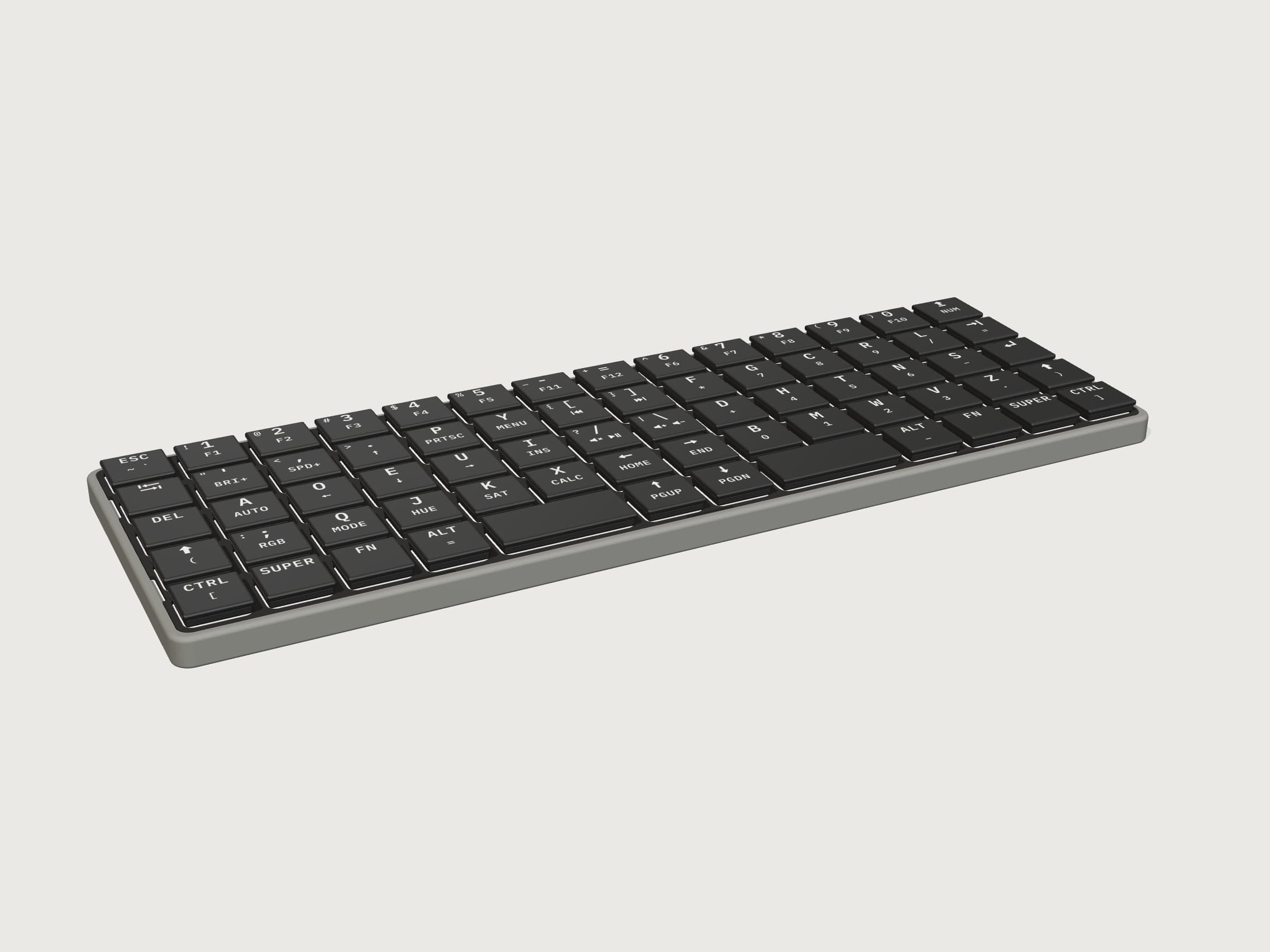
About the board
KeBe Lite is KeBe's 68-key Matrix-Dvorak keyboard at a lower price. It is the same board as KeBe v2, with its USB hub and a light under every key, but the keys are one moulded keypad instead of switches and keycaps.
Each key is a rubber dome with a hard plastic key top. Pressing it collapses the dome, and a carbon contact under it closes gold pads on the board. The keys are backlit: the key tops are translucent plastic painted black, with the legends laser-etched through, so each key's LED lights its own legend. Where a key has an Fn-layer legend, it sits below the main one.
Four USB-C ports sit on the back edge: one goes to your computer, and the other three are a USB 2.0 hub. The STM32F072 runs QMK, the same firmware as KeBe v2, so the layout and the Fn layer are the same, and the free typing trainer on this site teaches both.
It snaps into KeBe v2's screwless case, cut down so its rim is flush with the keypad, printed in grey nylon. There is no top plate: the keypad covers the board edge to edge. Each board is assembled by hand in Canada. None of the pictures are photographs: they and the 3D model are renders of the Lite's design files.
Specifications
- Layout
- 68 keys, ortholinear, Matrix-Dvorak
- Keys
- Hard plastic key tops on rubber domes, with carbon contacts on gold pads
- Legends
- Backlit, laser-etched through black-painted translucent key tops
- Lighting
- Per-key RGB, 68 SK6812MINI-E LEDs
- Connection
- Wired, USB-C
- Ports
- 4 × USB-C: 1 to the computer, 3 as a USB 2.0 hub
- Controller
- STM32F072, running QMK
- Case
- Grey nylon, screwless snap-fit: KeBe v2's case, cut down flush with the keypad
- Top plate
- None: the keypad covers the board edge to edge
- Size
- 256.7 × 89.2 mm, 10.95 mm to the key tops
- Assembly
- By hand in Canada
Shipping
A pre-order, charged in full at checkout and shipped to Canada and the United States. Ships January 31.
Shipping goes by Canada Post. You choose the service at checkout, and it is added to the price.
US orders go by Canada Post with the US duties already paid, so there is nothing more to pay on delivery.
Questions about an order: support@grounders.app
Questions
- How is KeBe Lite different from KeBe v2?
- The board, the controller, the four USB-C ports, the per-key lights and the firmware are KeBe v2's. Where KeBe v2 has Kailh Choc switches in hot-swap sockets and separate keycaps, each Lite key is a rubber dome with a hard plastic key top: pressing it collapses the dome, and a carbon contact under it closes gold pads on the board. All 68 keys are one moulded part, so there are no switches or keycaps to change, and it costs less.
- See KeBe v2
- Are the keys backlit?
- Yes. The key tops are translucent plastic painted black, with the legends laser-etched through the paint, and each key has its own RGB LED under its main legend, so the legends light up and the rest of the key stays dark.
- What is Matrix-Dvorak?
- KeBe's layout: 68 keys in straight columns, with August Dvorak's letter order. The row your fingers rest on reads A O E U I under the left hand and D H T N S under the right, and the - = [ ] / \ keys sit in the two middle columns, where your pointer fingers take them. The free typing trainer on this site teaches it one letter at a time.
- Open the typing trainer
- Do I set my computer to Dvorak?
- No. Set it to, or leave it on, US English (QWERTY): KeBe makes the Dvorak letters itself, so a computer set to Dvorak would move them a second time. There is nothing to install: plug it in by USB-C and it types.
- Can I change the keymap?
- It runs QMK, the open-source keyboard firmware, and every key and the Fn layer are set in it. There is no VIA or Vial: you change the keymap in the firmware source, build it with QMK and flash it. Hold Esc while you plug the board in to start its bootloader; that also clears its saved settings.
- KeBe's firmware source and build guide
- What do the three extra USB-C ports do?
- They are a USB 2.0 hub inside the board, for a mouse receiver, a flash drive or anything else that draws little power. The keyboard and everything plugged into it reach your computer through the one cable, and take their power from it.
- Can I cancel, or return it?
- Cancel any time before your board ships for a full refund within 5 business days. Return the board within 30 days of delivery, in its original condition, for a refund; buyer pays return shipping. Defects are repaired or replaced for a year.
- Pre-order terms